The 30-Minute Conversion Tracking Audit
Most ad accounts are optimising against numbers that are quietly wrong. Here is the sequence I run before touching a single bid, and the three failures that show up most often.
日本語で読む → Victor Firestone
Key takeaways
- 01Tags that appear installed frequently collect nothing — loading a vendor script is not the same as initialising it.
- 02Deferred tag loading silently drops every visitor who leaves within about three seconds, which on cold paid traffic is a large share of sessions.
- 03Audit measurement before optimisation. Bidding algorithms trained on wrong conversions get confidently worse over time.
Before adjusting bids, budgets or targeting on any account, I run the same audit. It takes about half an hour and it changes what the rest of the engagement is about roughly a third of the time.
The premise is simple: an optimisation built on bad measurement makes things worse, not neutral. Smart bidding trains on the conversions you report. Feed it wrong ones and it confidently allocates budget toward the wrong people.
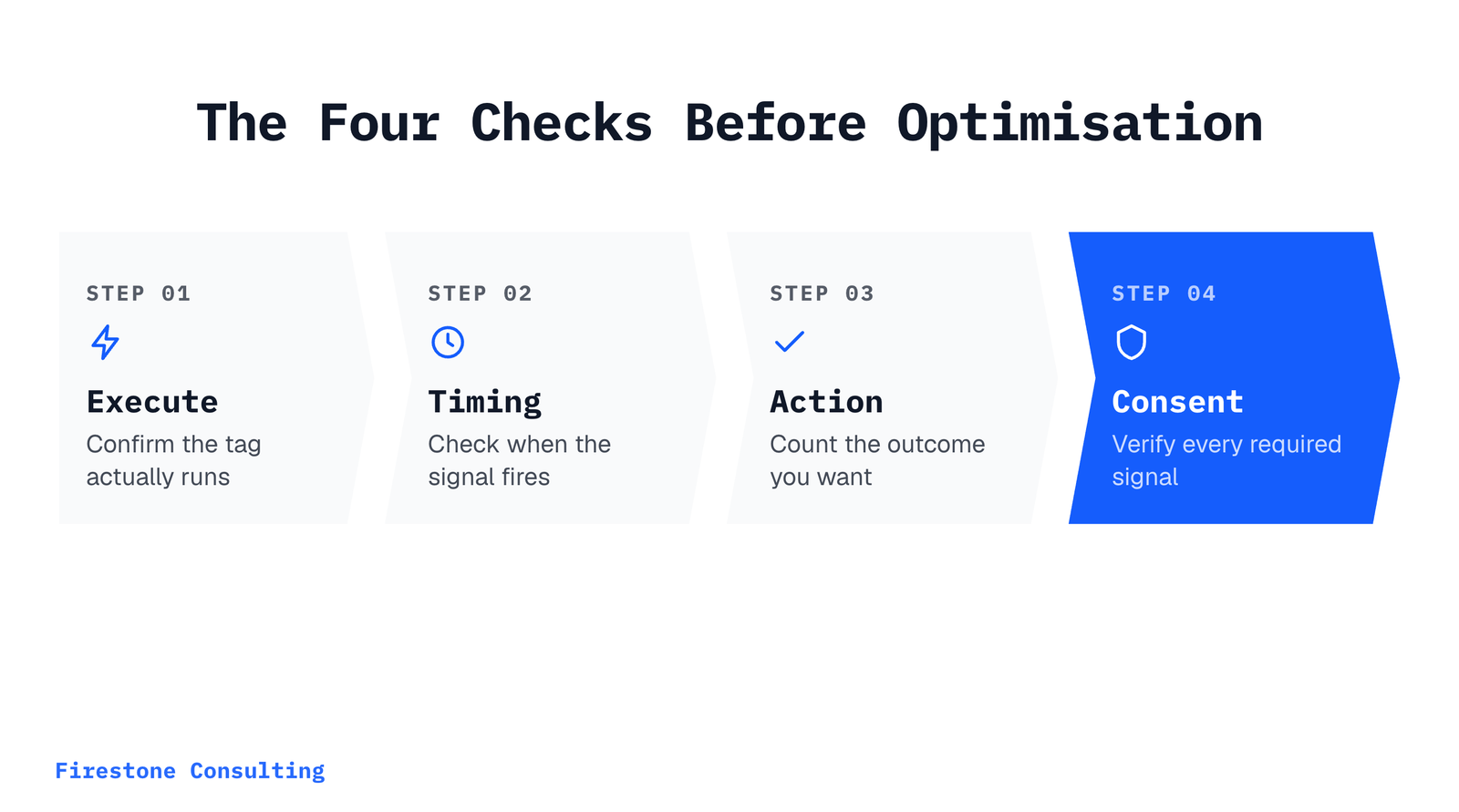
Step one: does the tag execute
Not “is it in the page source” — does it run.
- Open the site in a clean browser profile, ad blockers off
- DevTools → Network
- Filter by the vendor domain
- Hard reload and watch for the request
If nothing appears within a few seconds, the tag is not executing. This catches a surprising number of accounts where the platform dashboard still shows the tag as active, because dashboards typically report the last signal received rather than current state.
The failure I see most
A vendor script gets loaded but never initialised. For Meta that looks like fbevents.js
appearing in the network tab while fbq('init', …) is never called. The script is present,
the dashboard may show the pixel as detected, and zero data is being collected.
The equivalent on LinkedIn is setting the partner ID as a bare global instead of pushing it into the array the Insight Tag actually reads.
Both look correct in a code review. Neither works.
Step two: when does it fire
Performance-minded implementations often defer analytics to idle time. The intent is sound — tags should not compete with first paint — but pushed too far it costs data.
| Trigger | Typical delay | Data impact |
|---|---|---|
Inline in <head> |
None | Complete, worst for performance |
DOMContentLoaded |
Milliseconds | Effectively complete |
window.load |
Hundreds of ms | Minor loss |
requestIdleCallback |
Up to ~2s | Drops fast bounces |
Visitors who leave within roughly three seconds are never recorded under the last option. On cold paid traffic that is not an edge case — it is a meaningful share of the sessions you paid for, and it biases everything that survives toward more engaged users.
Step three: is it counting the right thing
Three questions, in order:
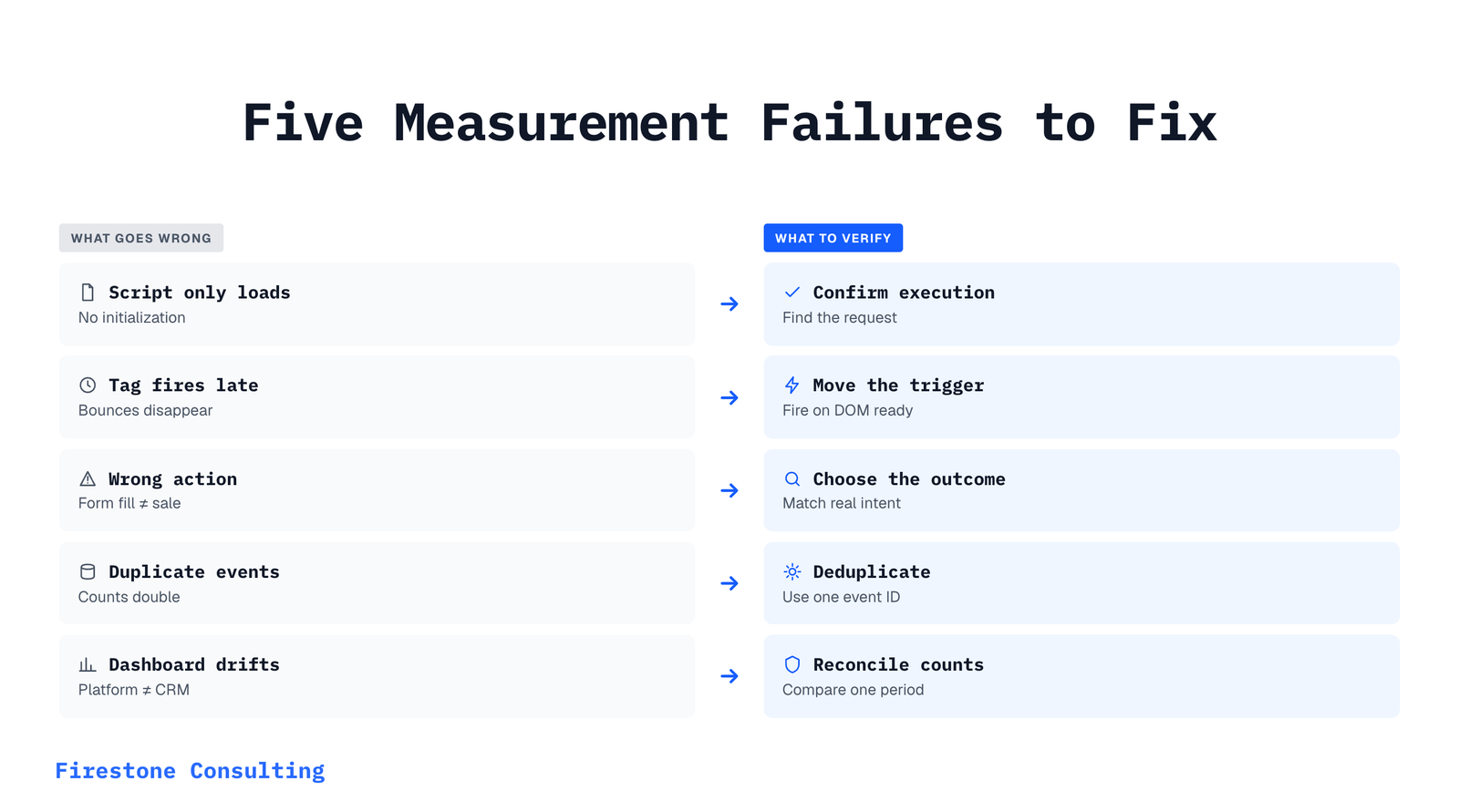
- Is the conversion the action you actually want? A form fill is not a booked consultation. If a third of form fills never show up, optimising to form fills optimises toward no-shows.
- Is it deduplicated? Two tags firing the same event doubles your reported conversions and halves your apparent CPA.
- Does the count reconcile with reality? Compare platform-reported conversions against actual enquiries in the CRM for the same period. They will never match exactly. They should not be off by 3×.
Step four: consent
If any meaningful share of traffic comes from the EEA or UK, check that Consent Mode v2 is
implemented with all four signals — analytics_storage, ad_storage, ad_user_data and
ad_personalization.
The two newer signals matter more than they appear. Without ad_user_data granted, Google
silently drops enhanced conversion data. No error, no warning, just a quieter conversion
count that looks like campaign underperformance.
Two implementation details are easy to get wrong:
// Must run BEFORE gtag.js loads. A default set afterwards is ignored,
// because tags apply whatever consent state exists when they fire.
gtag('consent', 'default', { /* ... */ });
Setting the defaults inside a deferred script is a common version of this mistake — the code is present, ordered wrongly, and therefore inert.
What to do with the findings
Fix measurement first, then wait. Give the account two to four weeks of clean data before judging performance or making structural changes. Bidding algorithms need retraining time, and comparing a fixed account against its own broken history will mislead you in both directions.
It is a slow start. It is considerably faster than optimising for another quarter against numbers that were never real.
Frequently Asked Questions
How do I know if my tags are actually firing?
Open the site in a clean browser with ad blockers disabled, open DevTools, go to the Network tab, and filter for the vendor domain. If you see no request within a few seconds of load, the tag is not running regardless of what the platform dashboard claims.
Why does the ads platform say the tag is active if it is broken?
Platforms usually report the last time they received any signal, which can be stale, and some report a tag as detected purely from the page source without confirming it executed.
Turn campaign uncertainty into a clear next step.
Book a call and we will identify the highest-leverage improvement.
Book a CallVictor Firestone
Founder of Firestone Consulting. Specializing in B2B paid ads management and lead generation using Google Ads and Meta Ads. Supporting businesses from startups to established enterprises with strategic marketing solutions.
Ready to build a reliable acquisition system?
We connect paid media, measurement, and conversion paths into one system.
Book a Call